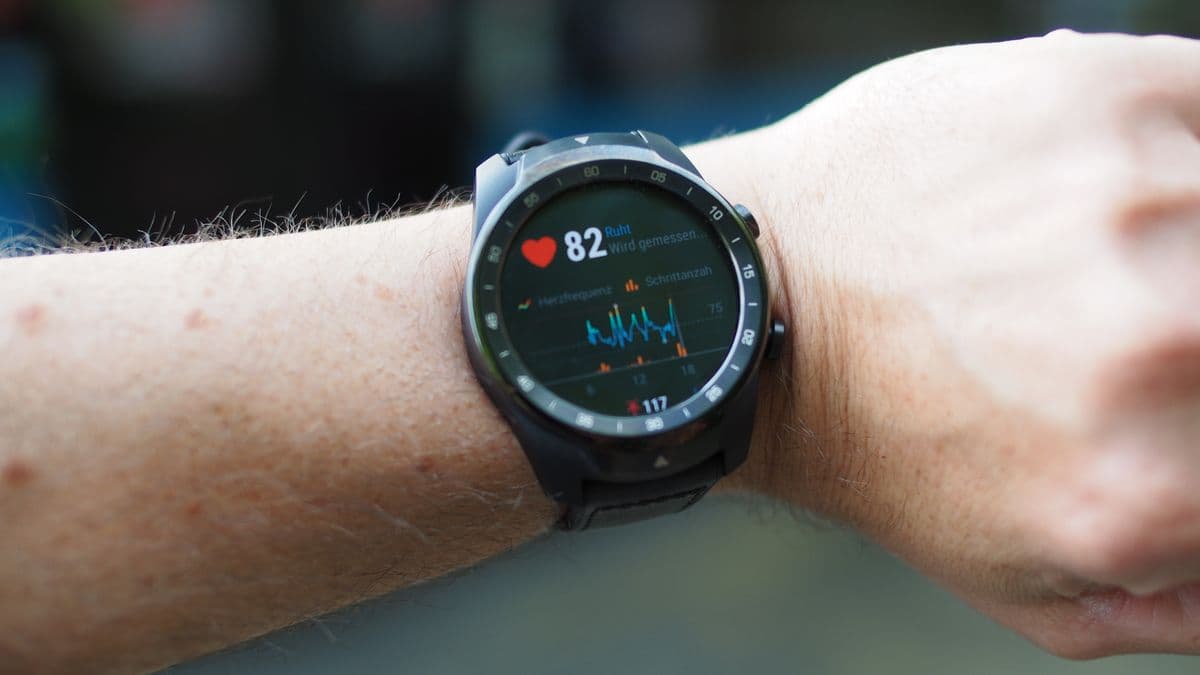
The HPB fitness tracker is not glamorous, but it solves the core job: it records steps and activity for Healthy 365 so you can earn Healthpoints without buying an Apple Watch, Garmin or Fitbit.
The confusion starts when people try to collect a new tracker, exchange a faulty one, pair an old device, or figure out why steps show but MVPA does not. The official help pages are useful, but they are scattered across HPB, HealthHub and app-support documents. This guide puts the whole thing in one place.
| Question | Short answer | Where to check |
|---|---|---|
| Can I collect a free HPB tracker? | Usually if you are a Singapore Citizen or PR, 17 or older, and have not collected one before | Healthy 365 app |
| Can foreigners collect one? | Only in specific cases such as Corporate Challenge eligibility | Healthy 365 app or HPB help |
| Can I exchange a faulty tracker? | Yes, if it is within the 1-year warranty and assessed as a manufacturer defect | Account > My Fitness Tracker |
| How often must I sync? | At least once every 7 days | Healthy 365 app |
| Can I use Garmin, Fitbit or Apple Health? | Yes, through supported third-party apps | Pair your tracker or app |

- Short answer
- Usually if you are a Singapore Citizen or PR, 17 or older, and have not collected one before
- Where to check
- Healthy 365 app
- Short answer
- Only in specific cases such as Corporate Challenge eligibility
- Where to check
- Healthy 365 app or HPB help
- Short answer
- Yes, if it is within the 1-year warranty and assessed as a manufacturer defect
- Where to check
- Account > My Fitness Tracker
- Short answer
- At least once every 7 days
- Where to check
- Healthy 365 app
- Short answer
- Yes, through supported third-party apps
- Where to check
- Pair your tracker or app
Who can collect a free HPB fitness tracker
HPB's current help page says you can collect a new HPB fitness tracker if you meet these conditions: you have not collected one before, you are 17 or older based on birth year, and you are a Singapore Citizen or Permanent Resident. The page also notes that exceptions apply, which is why the app matters more than any article, including this one.
The practical check is simple. Open the latest Healthy 365 app, tap HPB Fitness Tracker, then tap Collect a new HPB fitness tracker. If you are eligible, you should see collection options. If the app blocks you, there is no clever shortcut around that eligibility gate.
Foreigners are not generally in the same eligibility bucket as citizens and PRs. HPB's National Steps Challenge materials mention foreigners with a valid FIN in relation to participation, and tracker collection may apply in specific settings such as Corporate Challenge eligibility. Check the app rather than assuming.
How collection works
HealthHub says HPB trackers can be collected through self-help vending machines across Singapore without prior appointment, or through HPB appointed centres by appointment. The app handles the flow.
The normal route is:
- Download or update Healthy 365.
- Create or restore your profile and verify it with Singpass where required.
- Go to Home and tap HPB Fitness Tracker.
- Choose Collect a new HPB fitness tracker.
- Select self-collection or appointed-centre collection if available.
- Use your Healthy 365 QR code at the vending machine or appointment.
Proxy collection is possible through appointed centres, but the appointed person needs to be registered on Healthy 365 according to HealthHub's guide. Do not assume someone can just walk up with your screenshot.
How exchange works if the tracker is faulty
The exchange rule is narrower than many people expect. HealthHub says you are eligible for a one-for-one exchange if your HPB fitness tracker is faulty and within the 1-year warranty period. The fault is subject to assessment, and the exchange applies to manufacturer defects.
The warranty does not cover normal wear and tear, misuse, overcharging, scratches, breakage, screen cracks, charging cradles, straps or batteries. If the strap is disgusting after months of use, that is not the same as a defective tracker body.
To check your warranty, open Healthy 365 and go to Account then My Fitness Tracker. If eligible, book an exchange appointment through the app and bring the faulty tracker plus the required QR code or account access.
What the HPB tracker actually tracks
HPB's current materials say the latest HPB trackers include date and time, step tracking, heart-rate tracking, workout mode such as walking, running and cycling, SpO2 measurement, and sleep tracking. Older models may have fewer features or may no longer be supported by the app.
That is enough for Healthy 365 rewards. It is not enough if you want serious running metrics, route maps, structured workouts, race pacing, proper recovery analysis or a better daily smartwatch.
If your goal is points, the HPB tracker is fine. If your goal is training, use a Garmin, Apple Watch, Samsung watch, Fitbit or other supported tracker and treat Healthy 365 as the reward layer.
Pairing the HPB tracker
For a bought, unpaired or reset HPB tracker, HPB's setup guide says to open Healthy 365, tap Pair your tracker or app, choose HPB Trackers, then pair by QR code or Bluetooth depending on the model. If using Bluetooth, keep the tracker near the phone and make sure Bluetooth is on.
Some tracker models show a 4-digit code when tapped. Enter that code into Healthy 365 when prompted. If you collected the tracker at a roadshow or official collection point, it may already be paired and set up.
Using your own watch or app
HPB supports third-party tracker flows through companion apps. The official help page names Fitbit, Garmin and Samsung as examples, while app-store and HealthHub documents also list apps such as Actxa, Apple Health, Polar Flow and Huawei Health depending on the current support list.
The important point: Healthy 365 usually does not read your watch directly. It reads the linked app or cloud source. That means your watch must first sync to Garmin Connect, Fitbit, Samsung Health, Apple Health or the relevant app before Healthy 365 can see the data.
For a new third-party tracker, the flow is:
- Sync your watch to its own brand app first.
- Open Healthy 365.
- Go to Home and tap Pair your tracker or app.
- Choose Other fitness apps.
- Select the app and grant permissions.
- Return to Healthy 365 and sync.
Why steps show but MVPA does not
This is the most common complaint. Steps can appear while MVPA stays at zero because MVPA needs heart-rate data and enough intensity. HPB's National Steps Challenge materials define MVPA as activity that raises heart rate above 64% of maximum heart rate, and MVPA needs at least 10 continuous minutes per session to clock.
Work through this list before blaming the app:
- Open your watch's own app and sync it first.
- Check that Healthy 365 is connected to the right source.
- Allow heart-rate permissions, not just steps.
- Make sure the activity was intense enough to qualify as MVPA.
- Make sure the activity lasted at least 10 continuous minutes.
- Sync at least once every 7 days because HPB trackers can store only up to 7 days of data.
- Avoid time-zone confusion if you travelled or changed phone settings.
A gentle stroll can count for steps but not MVPA. That is not a bug. It is how the reward structure nudges intensity.
HPB tracker or your own watch?
Use the HPB tracker if you want free, simple rewards tracking. Use your own watch if you already train, run, cycle, care about sleep data, or want a better screen and app experience.
The HPB tracker is the lowest-cost route into Healthy 365. A Garmin or Apple Watch is the better training tool. A Fitbit or Samsung watch can be the middle ground if you want a nicer daily wearable without becoming a race-data nerd.
For broader buying context, see our guides to fitness trackers in Singapore, budget fitness trackers, and Garmin watches in Singapore.
Once the tracker is paired, our Healthy 365 rewards guide covers how steps actually convert to Healthpoints, and our 2026-2027 watchlist covers where the whole programme is heading next.
FAQ
Can I get a second free HPB tracker if I lost mine? Usually no. HPB's eligibility flow is designed around whether you have collected before, with exceptions shown in the app. Check Healthy 365 for the live answer.
Can I buy an HPB tracker myself? Some HPB tracker setup guides mention bought or unpaired HPB trackers, but availability changes. If you are buying purely for Healthy 365, check current support before spending money.
Does Apple Watch work with Healthy 365? Healthy 365 can use Apple Health as a supported tracking source where available. You need to grant permissions and make sure Apple Health has the activity data first.
Does Garmin work with Healthy 365? Yes, Garmin Connect is listed in HPB's third-party tracker setup materials. Sync the Garmin watch to Garmin Connect first, then sync Healthy 365.
How often should I sync? At least once every 7 days for HPB trackers. More often is better if you care about points showing quickly.
Sources
- HPB Help Centre: eligibility to collect an HPB fitness tracker
- HealthHub: The Healthy 365 app tracker eligibility
- HealthHub: tracker collection and exchange
- HPB Help Centre: pairing and syncing third-party trackers and apps
- Healthy 365 on Google Play
- Turning steps into rewards in Singapore
Spot an error or have a product we should test? We read every note.
Get in touch